The ABCs of Adobe AI: You’re Further Along Than You Think

AI is no longer a future-state investment. Marketing teams are being asked to show how they’re using it today to drive measurable outcomes. If your organization is already using an Adobe technology stack, you’re well on your way to demonstrating how you’re using AI to drive real business outcomes. The opportunity now is to recognize those capabilities, use them more intentionally, and build trust in how AI supports decision making.
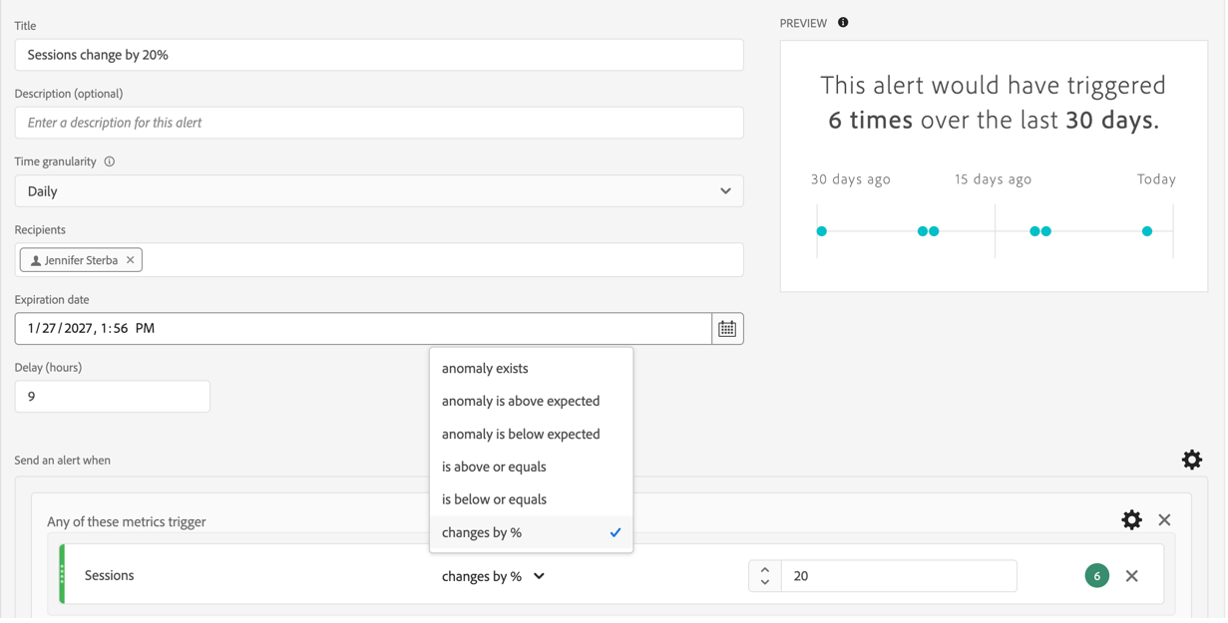
First, let’s level-set terminology. Artificial intelligence (AI) refers to systems designed to perform tasks that typically require human intelligence. AI can be built on rules, for example, a rule that an email alert must be delivered whenever Adobe Analytics/Customer Journey Analytics (CJA) shows visits dropped by 20% or recorded zero visits.
Machine learning (ML) is one way to achieve AI, using data to identify patterns and make predictions. Within Adobe tools, ML is often the engine behind features that surface insights, detect anomalies, and guide users toward action.
For example, when CJA points out anomalies in weekly traffic trends.
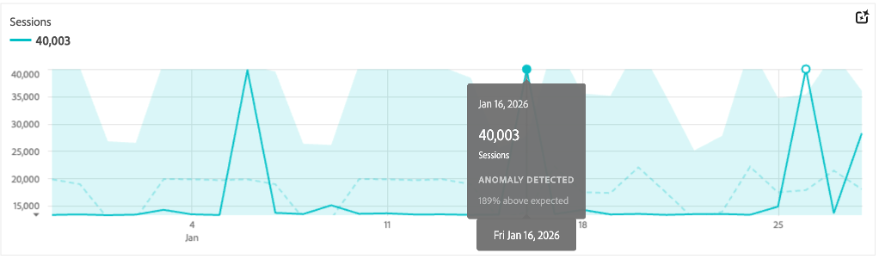
For teams using CJA, AI is already embedded in daily workflows. The question isn’t whether you’re using AI, but how effectively you’re applying it.
Here’s a quick overview of Adobe’s more recent releases and how they can be applied in your current workflows.
Alerts: Moving From Reactive to Proactive
Alerts are one of the most established examples of AI in Adobe analytics tools, yet they’re often underutilized.
By applying ML to your organization’s data, alerts forecast expected outcomes and identify when actual results fall outside that range. This allows teams to move from reactive reporting to proactive monitoring. Instead of discovering an issue after stakeholders ask questions, teams can identify and investigate changes as they happen.
This is particularly valuable for high-visibility KPIs such as website visits, orders, or form submissions. For analysts and stakeholders alike, alerts provide an early signal that something has shifted and requires attention.
When configuring alerts, many teams rely on basic thresholds, leading to unnecessary noise. Instead, we recommend anomaly-based alerts tied to the metrics that matter most to your business. This reduces alert fatigue and increases confidence that when a notification appears, it’s worth investigating.
Intelligent Captions: Scaling Insight Delivery
One of the ongoing challenges in analytics is translating data into clear, actionable insights. Intelligent captions aim to address this by generating natural-language summaries directly within visualizations.
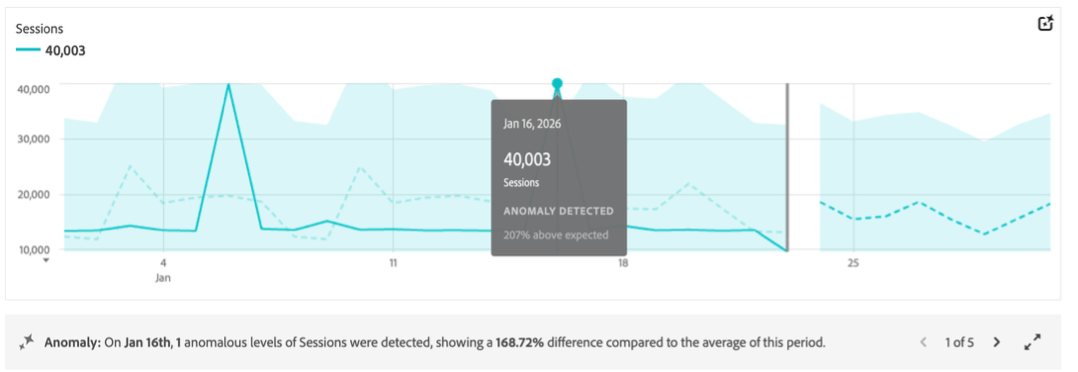
In the above example, click the double-arrow in the caption box to view all insights in one window and edit which are visible to users.
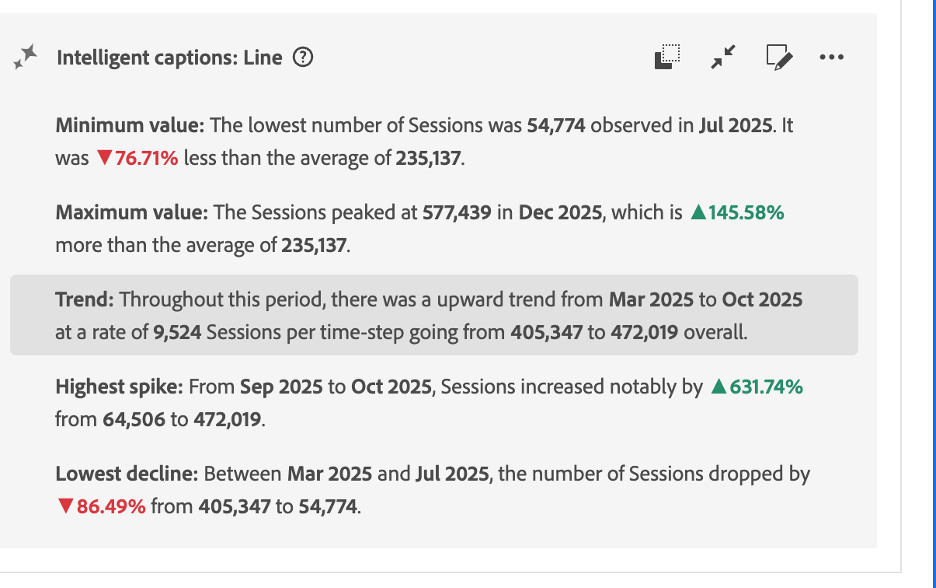
Click the pencil icon in the caption box to edit which insights are displayed. Then select the eye icon to the right of each insight to toggle on/off for visibility.
For analysts, this provides a starting point for identifying what stands out in the data. For stakeholders, especially those who are newer to Adobe Workspace, captions help make dashboards more accessible and easier to interpret. However, these outputs should be treated as a first draft, not a final answer. Some of the captions lack context or common language and should be polished for executive consumption.
The value of this feature lies in acceleration. It reduces the time required to identify patterns and frame observations, allowing analysts to focus more on interpretation and less on initial discovery.
AI Assistant: Lowering the Barrier to Entry
The comment bubble with a star in the upper right corner of your Workspace offers you an AI Assistant that can answer questions, suggest approaches, and help you build visualizations.
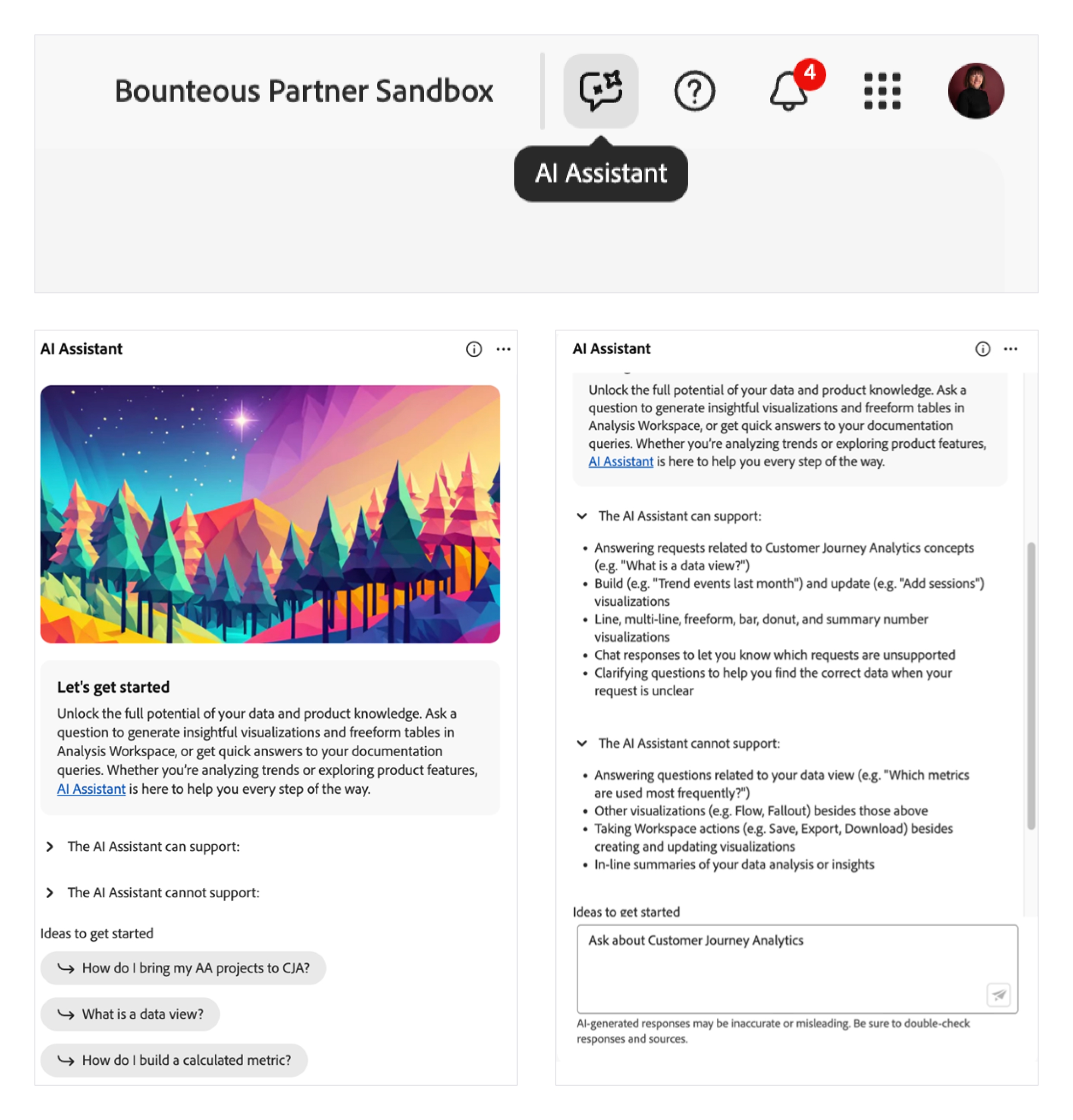
Just like with Google search or ChatGPT, language matters. We recommend you experiment with different prompts, see how outputs change, or what follow-up suggestions the assistant gives you.
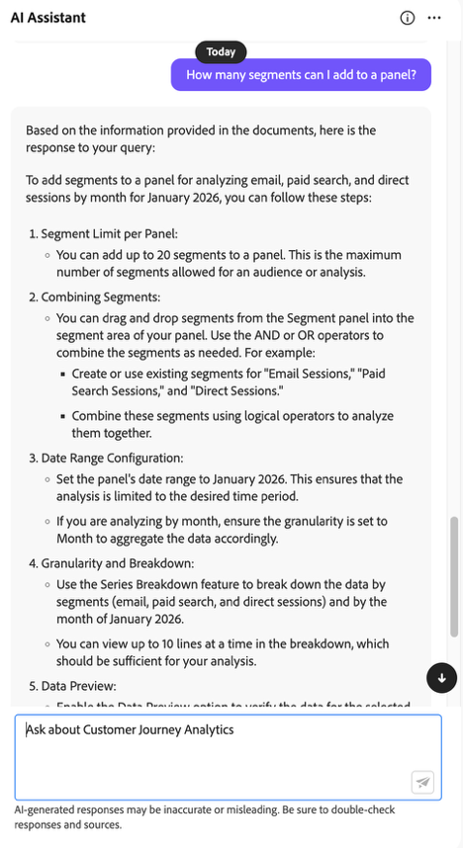
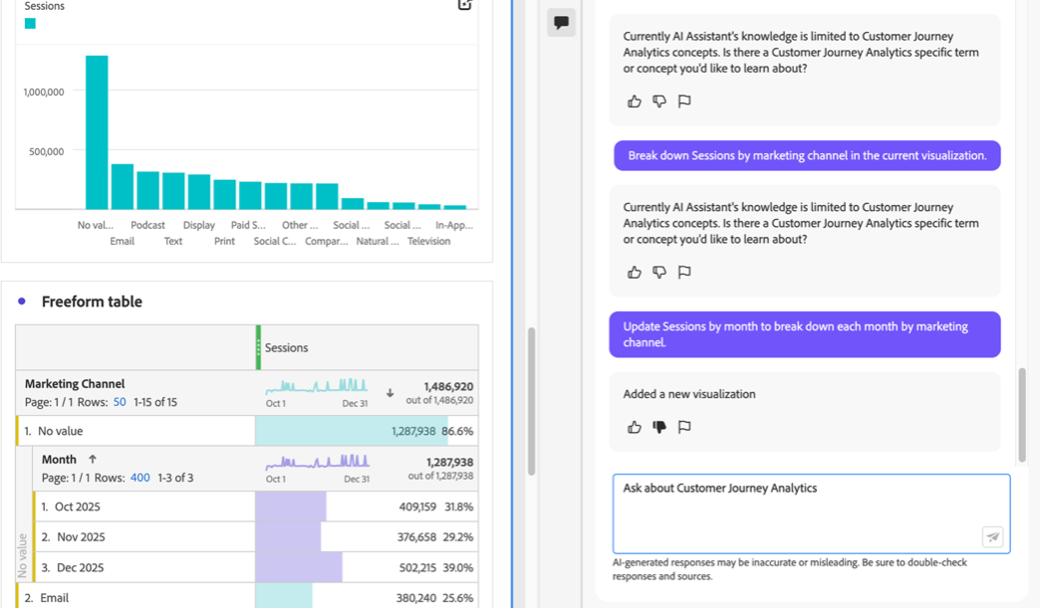
The AI Assistant does seem to struggle with the nuance of language. Direct, simple prompts are more likely to yield an output, even if it's not exactly what you’re looking for. You can use the feedback prompts to give it a “thumbs up/down” and teach it to understand what you’re looking for.
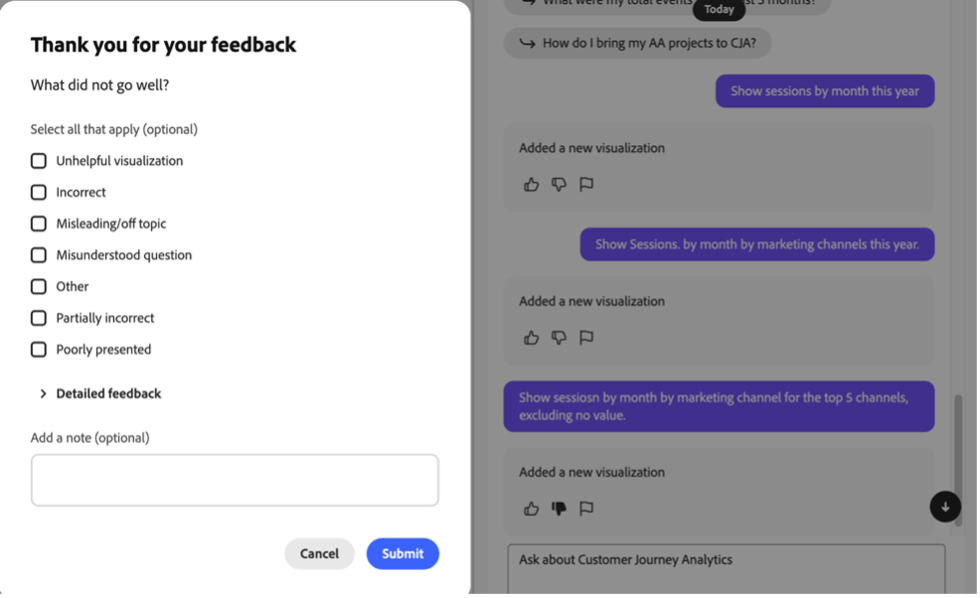
Important Disclaimer: As with other AI assistants, Adobe does tell you that AI-generated responses may be inaccurate or misleading. Be sure to double-check responses and sources.
For newer users, this feature has immediate value. It reduces the intimidation factor of a complex interface and provides guidance at the moment it’s needed. Instead of searching for external documentation, users can stay within the platform and continue building.
At the same time, the assistant is still evolving. Prompt structure matters, and responses can vary in accuracy or relevance. Direct, simple language tends to produce more reliable results, while more nuanced requests may require iteration.
This highlights an important point for teams adopting AI-driven tools: oversight remains essential. Responses should be validated, and teams should establish expectations for how these tools are used. When applied thoughtfully, the AI Assistant can support onboarding, encourage self-service, and increase overall adoption of CJA.
Data Storytelling: Connecting Insights to Action
Adobe’s emerging data storytelling capabilities are available to customers for a limited time – this will help turn analysis into presentation-read outputs. If you’re lucky enough to have it, it’s in the upper right corner of your CJA project screen.

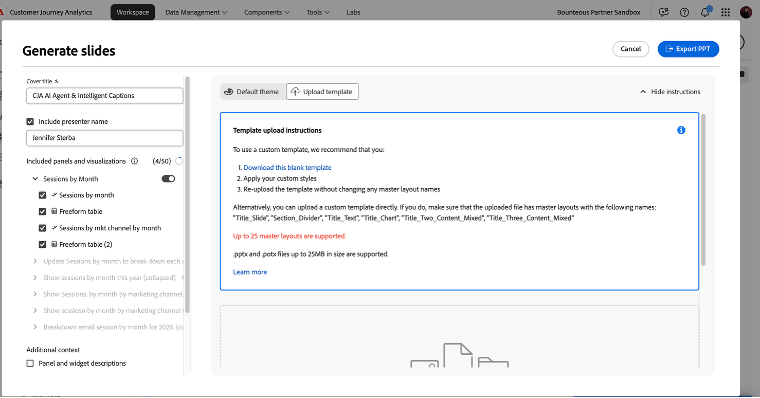
The ability to generate slides directly from CJA projects has the potential to streamline how insights are shared across organizations. For teams that regularly translate dashboards into executive presentations, this could significantly reduce manual effort.
As with other AI-driven features, accuracy and usability will determine adoption. Early experiences suggest there are still limitations, but the direction is clear. Automating the transition from analysis to communication is a meaningful step toward making insights more actionable.
Guided Analysis: Accelerating Exploration
Guided Analysis represents a more structured application of AI within CJA. It helps users explore data by automating insights, identifying anomalies, and facilitating plain-language prompts.
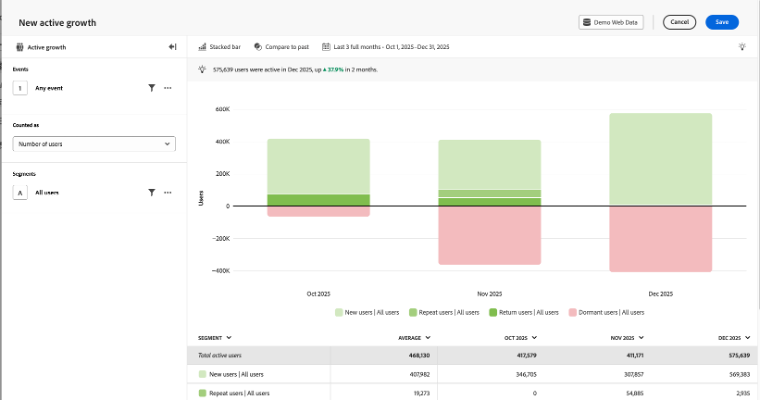
For users who are unsure where to begin, this might help you firm up where you want to look next, whether that’s views of performance, including growth trends or conversion behavior.
This is particularly useful for marketers who may not have a deep analytics background but still need to answer business questions. By simplifying the exploration process, Guided Analysis helps bridge the gap between data access and actionable insight.
There is still room for growth. Right now, users have to know what their journey steps are to build a conversion funnel.
Turning Capability Into Impact
Across these features, a consistent theme emerges: Adobe has already embedded AI into the core of its analytics experience. The immediate opportunity for organizations is not to adopt entirely new tools but to make better use of what they already have.
For many teams, this starts with onboarding new team members to Adobe CJA Workspace and the idea of self-service in reporting and analysis. To ensure their onboarding/learning curve is frictionless, provide clear metric definitions and documented best practices to create a foundation for scalable self-service. At the same time, teams should approach these tools with a critical eye. AI can accelerate workflows and surface insights, but it doesn’t replace human judgment. Validating outputs, refining interpretations, and aligning insights to business context remain essential responsibilities.
As AI continues to shape the analytics landscape, organizations with a solid tech stack and thoughtful implementation will begin turning customer journey insights into actions and outcomes you can measure and justify.
Featured Perspectives

AI-Led Buying Groups in B2B: Driving Competitive Advantage with Adobe Experience Platform

Adobe’s Next Chapter: Edge Delivery Services, AI, and the Evolution of Adobe Experience Manager