A Faster Way to Audit Enterprise Google Tag Manager Containers
Enterprise Google Tag Manager programs are hard to govern because the inventory step is slow. Before teams can fix reporting gaps, consent issues, or tag sprawl, someone has to answer a basic question, what is actually running in the container right now?
That baseline GTM inventory can take hours or days, depending on the size and complexity of the container. With the new Bounteous GTM Extractor, analytics teams can run a structured inventory in minutes, review an Executive Summary and Health Score, and keep large implementations under control with regular scans instead of manual spreadsheet wrangling.
The speed matters because it gives teams more time for governance, cleanup, and measurement improvement. That recurring bottleneck is what led us to build the Bounteous GTM Extractor, a Chrome extension that helps teams move from manual container review to a faster, more repeatable GTM audit process.
The Scaling Problem with GTM Audits
If you have ever inherited an enterprise GTM container, you know the feeling. There may be hundreds of tags, dozens of trigger families, a maze of variables, custom templates from agencies that left years ago, and orphaned configurations that no one can confidently explain or change.
Before teams can recommend performance fixes, consent updates, GA4 migrations, or cleanup work, they need to know what is actually in the container.
The Real Cost of Tag Sprawl
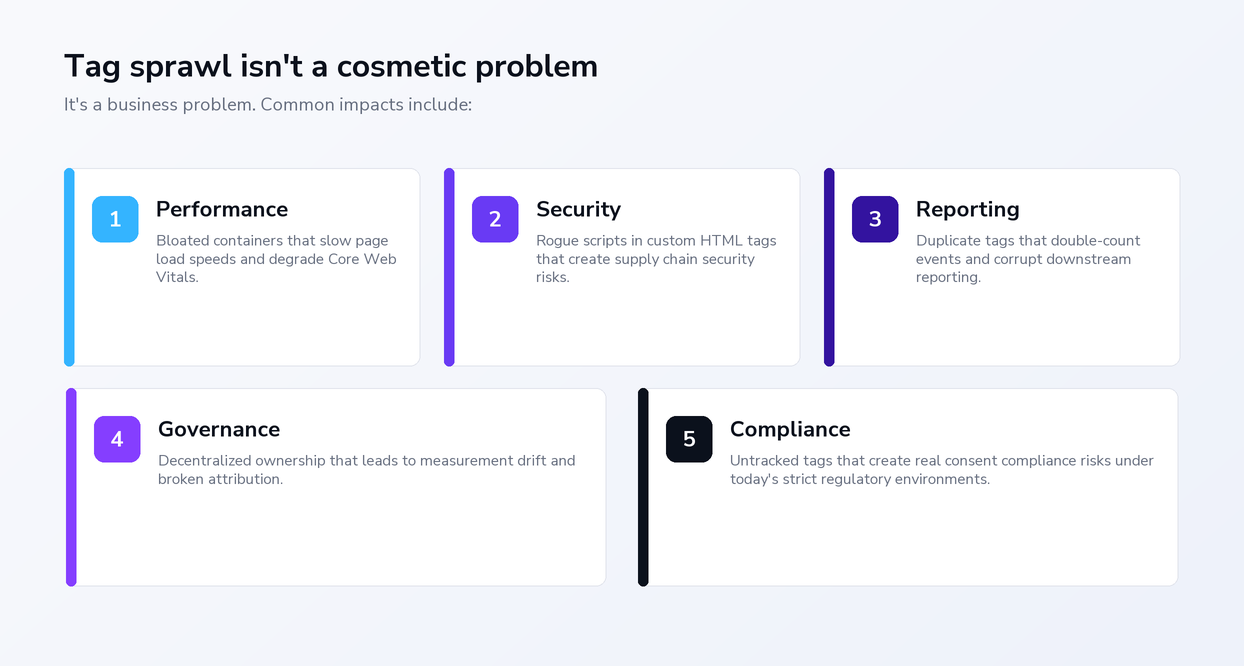
Tag sprawl creates operational, reporting, and compliance risk. Common impacts include:
- Performance: Bloated containers can slow page load speeds and degrade Core Web Vitals.
- Security: Rogue scripts in Custom HTML tags can create supply chain security risks.
- Reporting: Duplicate tags can double-count events and corrupt downstream reporting.
- Governance: Decentralized ownership can lead to measurement drift and broken attribution.
- Compliance: Untracked tags can create consent compliance risks in stricter regulatory environments.
That tracking chaos reflects a broader data quality problem. Adverity's 2025 survey shows that CMOs estimate 45% of their decision-making data is inaccurate, which is why they ranked improving data quality as the absolute best way to boost performance.
The Time Sink in Manual GTM Audits
The traditional audit workflow is slow because every step depends on manual inspection and cleanup. You click through the GTM UI container-by-container. You export raw JSON, then spend hours reformatting it with spreadsheets, Apps Script, Sheets extensions, or custom API scripts. You write your own pivot tables, cross-reference triggers and variables by hand to find orphans, and then you reformat everything into something presentable for sharing.
Existing resources like the GA4 Google Tag Manager Utilities, GTM Tools by Simo Ahava, and various Apps Script solutions are all genuinely excellent. We’ve leaned on them for years.
But the glue work between them could still take one hour for a small container to several days for a sprawling enterprise account.
The Catalyst for the Bounteous GTM Extractor
The breaking point came when we landed an implementation engagement that involved hundreds of GTM accounts and containers, all needing a full audit and documentation overhaul. Tasks like this would normally take weeks if done manually. We needed a faster way to complete the inventory work so more time could go toward analysis, cleanup planning, and strategic recommendations. With Claude Code as agentic engineering partner, we prototyped, tested, and shipped the Bounteous GTM Extractor. The extension connects directly to the Google Tag Manager API and returns a complete, structured inventory of any container in roughly 10 to 30 seconds.
A Structured Inventory for GTM Audits
The extension connects to the Google Tag Manager API with read-only access and returns a structured inventory in roughly 10 to 30 seconds for typical containers. You search across the GTM accounts you can access, select the containers and workspaces you want, and run the extract.
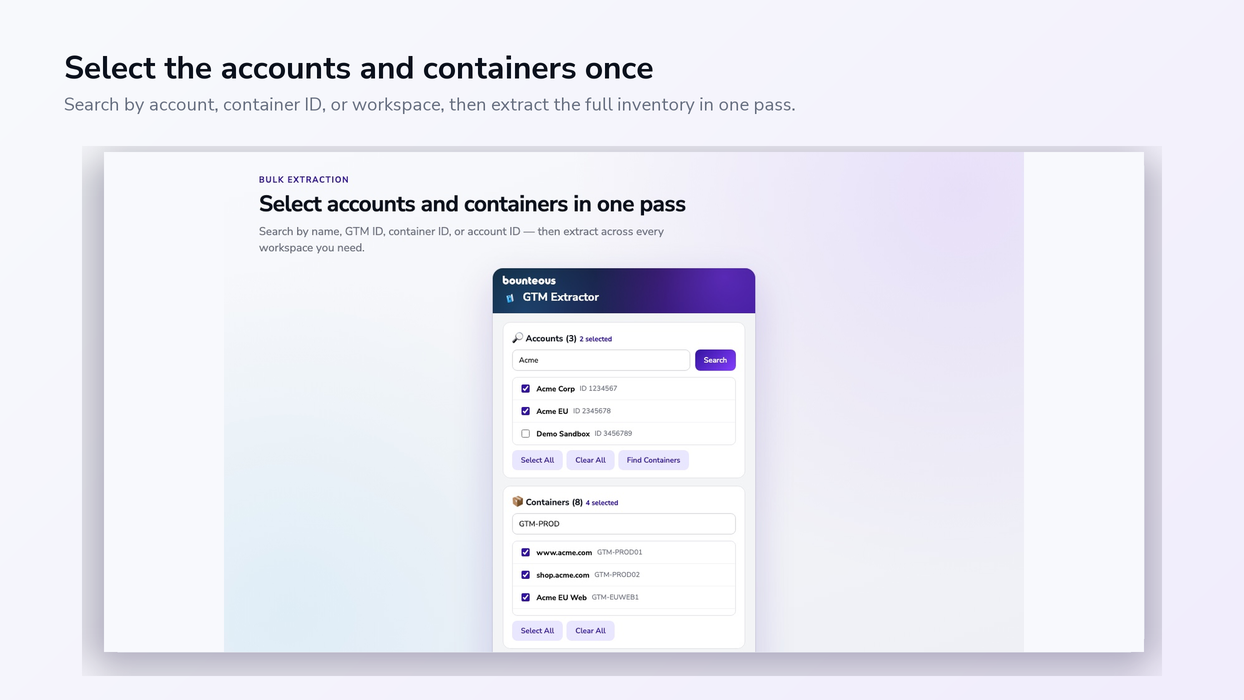
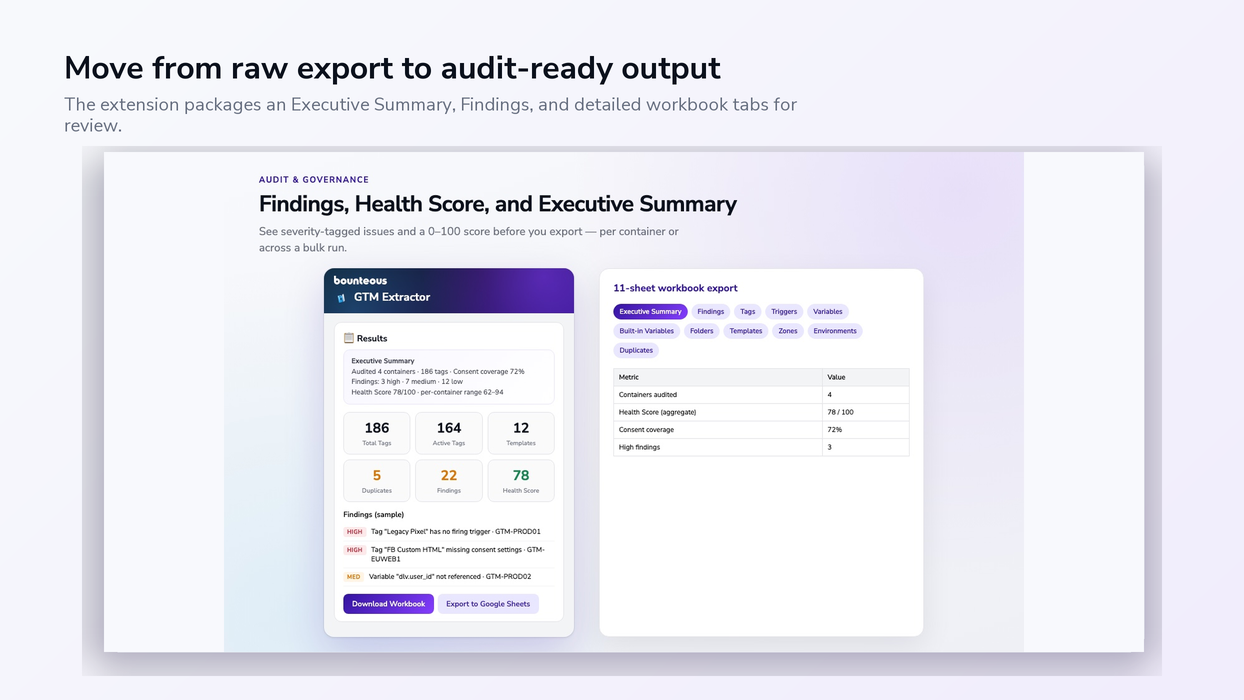
The output is designed for audit work, with enough context to support review, cleanup, and governance decisions. Each extract includes tags, triggers, variables, built-in variables, templates, zones, environments, folders, container information, duplicate detection, and an Executive Summary with a 0 to 100 Health Score.
The Health Score starts at 100, and each audit finding reduces the score based on severity. High findings subtract 4 points each, medium findings 1.5 points, and low findings take away 0.5 points. To keep the score balanced, deductions are limited by severity –high findings can reduce the score by at most 60 points, medium findings by at most 25, and low findings by at most 10.
That means the score reflects a mix of issue types, not just sheer number of findings in one category. A score of 80 or higher generally indicates a relatively clean container. Scores from 60 to 79 suggest review is warranted. Scores below 60 usually mean several high-priority fixes should come first.
This makes the first sheet a practical view of what needs attention right away, including missing consent settings, unused triggers and variables, duplicate configurations, older paused tags, and Custom HTML patterns that deserve review.
An Inventory with Audit Context
For each tag, the extractor captures the context teams need to make decisions:
- Firing and blocking triggers
- GA4 measurement IDs
- Event parameters, user properties, and item parameters
- Ecommerce flags and consent status
- Workspace name and last modified fingerprint
- A direct link back into the GTM UI
That level of context matters when a stakeholder asks whether a specific event is firing, whether a tag respects consent, or why two reports disagree. The answer should be one filter away, not buried in a half-finished pivot table.
Orphans, Duplicates, And Governance Signals
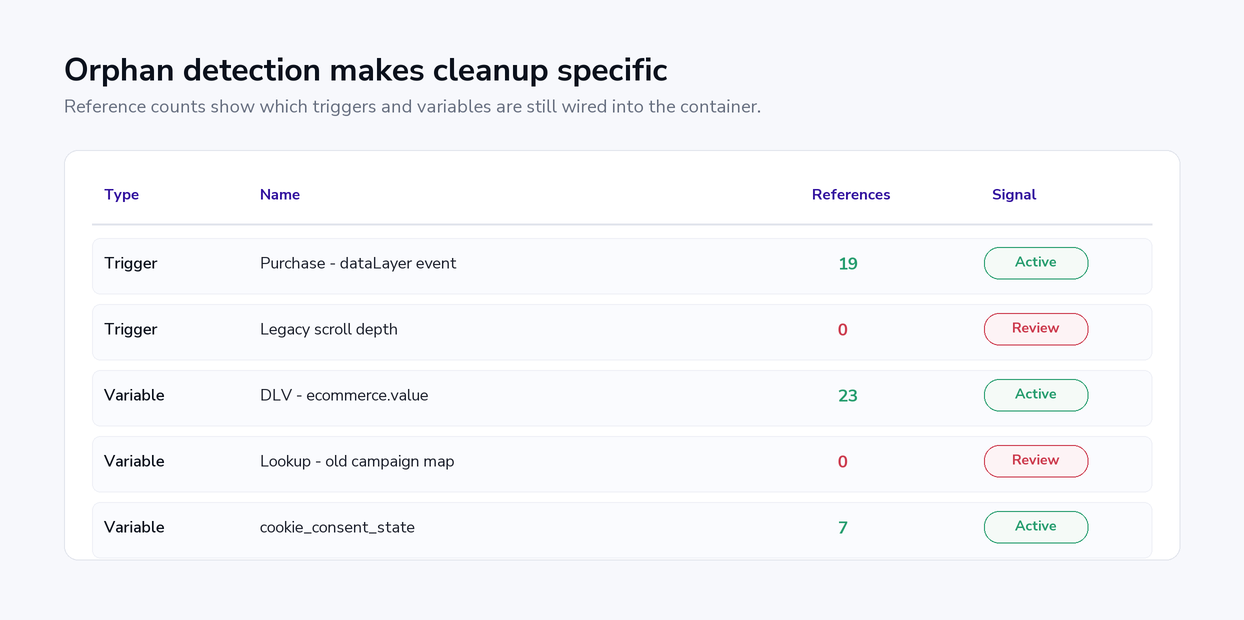
Trigger and variable reference counts are especially useful because they show which configurations are active, unused, or dependent on other parts of the container. The scanner checks tag configurations, trigger filters, auto-event filters, and custom-event filters, so variables used inside trigger conditions are accurately identified.
The extension also inventories custom and community templates, including gallery links and imported versions where available. That helps teams see where third-party or locally modified templates are running, which is often one of the harder governance questions to answer manually.
Duplicate detection of flags, tags, triggers, and variables that share the same configuration but live under different names. Those duplicates are easy to miss in the UI and can quietly contribute to extra page weight, race conditions, and double-counted analytics events.
Exports Formats That Teams Can Use
The extractor can create a multi-tab Excel workbook, a detailed CSV, a Google Sheets export written to Drive, raw JSON for deeper analysis, or a quick clipboard copy. The latest workbook format includes audit-friendly tabs for Executive Summary, Findings, Tags, Triggers, Variables, Built-in Variables, Templates, Zones, Environments, Container Info, Folders, and Duplicates.
For larger account sets, the extension respects GTM API rate limits with adaptive throttling and cooldown behavior based on Retry-After responses. There's also a cancelling control for cases where it is better to stop, narrow the selection, and rerun the extract.
How Faster Audits Improve Tag Governance
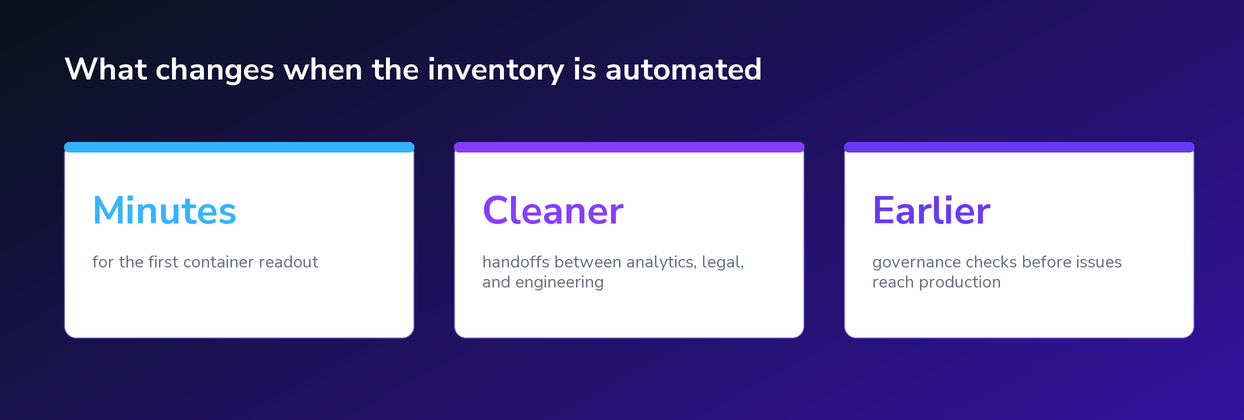
The larger shift is repeatability. When the inventory work takes minutes, audits can become part of regular governance rather than something teams reserve for a rescue project.
A practical audit cadence can look something like this:
- Quarterly for any production container under active development
- Before every major release, redesign, or platform migration
- After any GA4 change, consent mode update, or CMP swap
- When onboarding a new vendor, agency, or analytics owner
- On demand whenever reporting, privacy, or performance questions surface and you need a current inventory
Instead of waiting for a reporting issue or privacy escalation, analytics teams can show what is running, where it fires, who needs to review it, and what should be cleaned up next.
The Engineering Behind the Extractor
Building a production-ready Chrome extension for work like this takes serious technical and product engineering: OAuth, API integrations, workbook generation, Google Sheets writes, export logic, rate-limit handling, and a feedback loop. Not long ago, all of that would have required a dedicated engineering backlog.
By pairing agentic engineering with our experience, we were able to prototype, test, and ship the tool far faster. The important part is that the engineering judgment stayed human. AI lowered the cost of building the tool, while our Google Tag Manager and Google Analytics SMEs shaped the use cases, anticipated where it could fail, and defined what a useful audit actually looks like.
That's the kind of AI-assisted engineering we're focused on at Bounteous, building practical systems that help reduce manual effort and help teams reach measurable outcomes faster.
Try the Bounteous GTM Extractor
The Bounteous GTM Extractor is free, read-only, and available now in the Chrome Web Store. It has become our team’s first move for GTM audits, documentation refreshes, implementation planning, and governance reviews.
If you don't completely trust your tracking, it's time to eliminate the guesswork. Use the tool to run your first quick audit today so your team can spend less time searching for tags and more time optimizing performance.
News & Insights
Featured Perspectives